

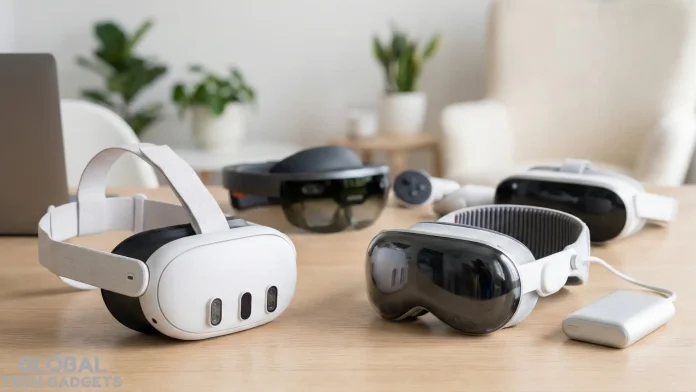
Diving into the world of augmented reality (AR) and virtual reality (VR) can feel like stepping into a sci-fi movie, but with the right headset, it’s an accessible adventure even for total newcomers. As we head into 2026, the tech landscape is buzzing with innovations that blend seamless immersion, user-friendly interfaces, and affordable options. Whether you’re exploring virtual worlds for gaming, boosting productivity with mixed reality overlays, or just curious about the hype, this guide breaks down the top picks tailored for beginners. We’ll cover key features, price comparisons, and easy setup tips to help you get started without the overwhelm.
Why AR/VR Headsets Are Perfect for Beginners in 2026

The AR/VR market has evolved dramatically, thanks to advancements showcased at events like MWC 2025, where AR integrations stole the spotlight. For beginners, these devices offer intuitive controls, wireless freedom, and vast libraries of content—from relaxing virtual tours to interactive workouts. No need for a high-end PC or complicated wiring; many modern headsets are standalone, meaning they run apps and games right out of the box. Plus, with prices dropping and features like color pass-through cameras becoming standard, it’s easier than ever to jump in without breaking the bank.
If you’re new, focus on comfort, battery life, and ecosystem compatibility. Look for headsets with adjustable straps, lightweight designs (under 500g ideally), and simple app stores. VR shines for fully immersive experiences like gaming, while AR overlays digital elements onto the real world, ideal for navigation or creative work.
Top VR Headsets for Beginners
VR headsets transport you to entirely digital environments, making them great for escapism and entertainment. Here are our standout recommendations for 2026, emphasizing ease of use and value.
1. Meta Quest 3S: The Budget-Friendly Gateway
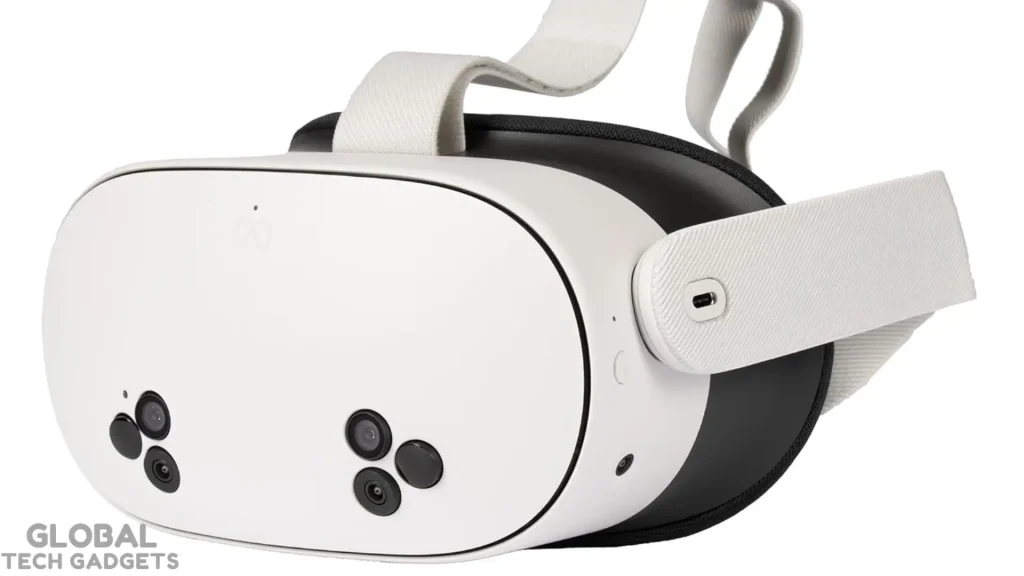
Starting at around $249 for the 128GB model, the Meta Quest 3S is an unbeatable entry point. It features color pass-through cameras for mixed reality, reliable hand-tracking controllers, and access to thousands of apps via the Meta Quest store. Weighing just over 500g, it’s comfortable for extended sessions, and its Snapdragon XR2 Gen 2 processor ensures smooth performance in games like Beat Saber or social VR hangouts.
Pros: Affordable, no PC required, vast content library.
Cons: Lower resolution (1832 x 1920 per eye) compared to premium models.
Best for: Casual gamers and first-timers dipping their toes in.
2. Meta Quest 3: A Step Up for Immersive Fun
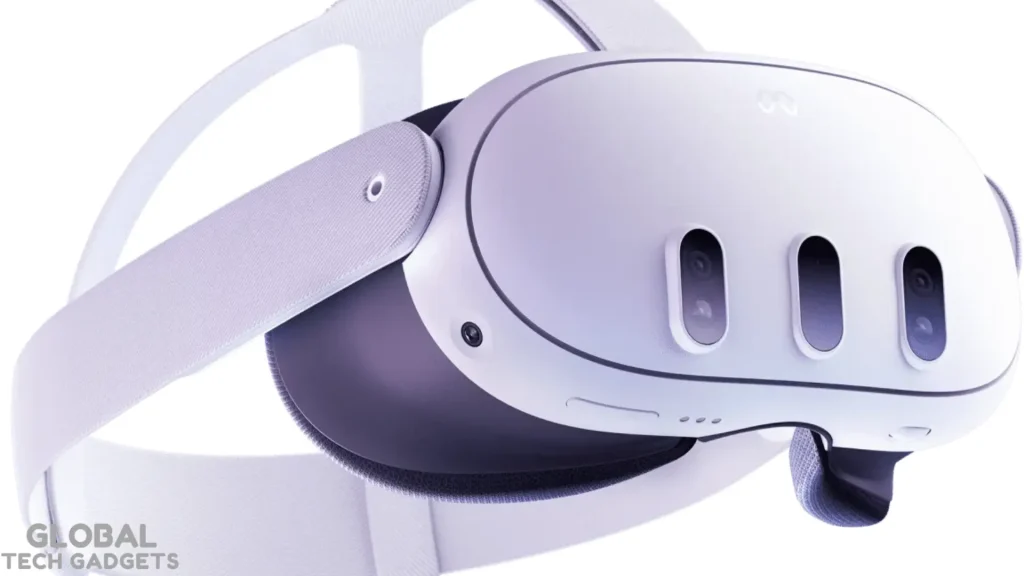
Priced at $500, the Quest 3 builds on its sibling with sharper 2064 x 2208 resolution per eye, better optics for clearer visuals, and enhanced mixed reality capabilities. It’s wireless, supports PCVR via link cable for advanced users, and includes features like spatial audio for a more engaging experience. Beginners love its intuitive setup and family-sharing options.
Pros: High-quality displays, versatile for gaming and productivity.
Cons: Slightly heavier at 515g.
Best for: Those wanting a balance of price and performance.
3. Meta Quest 4: The Anticipated Next-Gen Option
Slated for a potential 2026 release, the Meta Quest 4 promises to elevate beginner experiences with rumored upgrades like a Snapdragon XR2 Gen 3 chipset, higher-resolution displays (possibly 4K per eye), eye and face tracking, and a slimmer, lighter design under 400g. Pricing could start around $600, making it a future-proof choice with external computing for better battery life.
Pros: Advanced tracking, wireless freedom, backward compatibility.
Cons: Release date uncertain—could slip to 2027.
Best for: Tech enthusiasts waiting for cutting-edge features.
4. Pico 5: Affordable Wireless Alternative
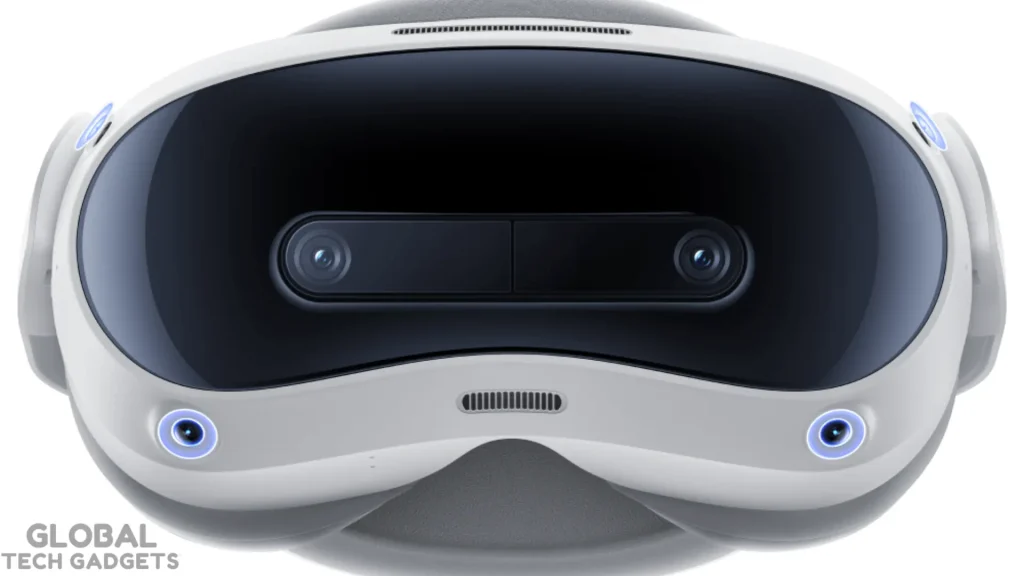
Expected in early 2026, the Pico 5 offers standalone VR with a focus on comfort and portability. At around $400, it includes pancake lenses for a wider field of view, Snapdragon processing, and a growing app ecosystem. It’s beginner-friendly with simple controls and social features.
Pros: Comfortable fit, good battery life.
Cons: Smaller content library than Meta.
Best for: Budget-conscious users seeking variety.
Top AR Headsets and Glasses for Beginners
AR devices are lighter and often glasses-style, perfect for blending digital info with reality—like directions or virtual notes.
1. XReal One Pro: Versatile AR Glasses
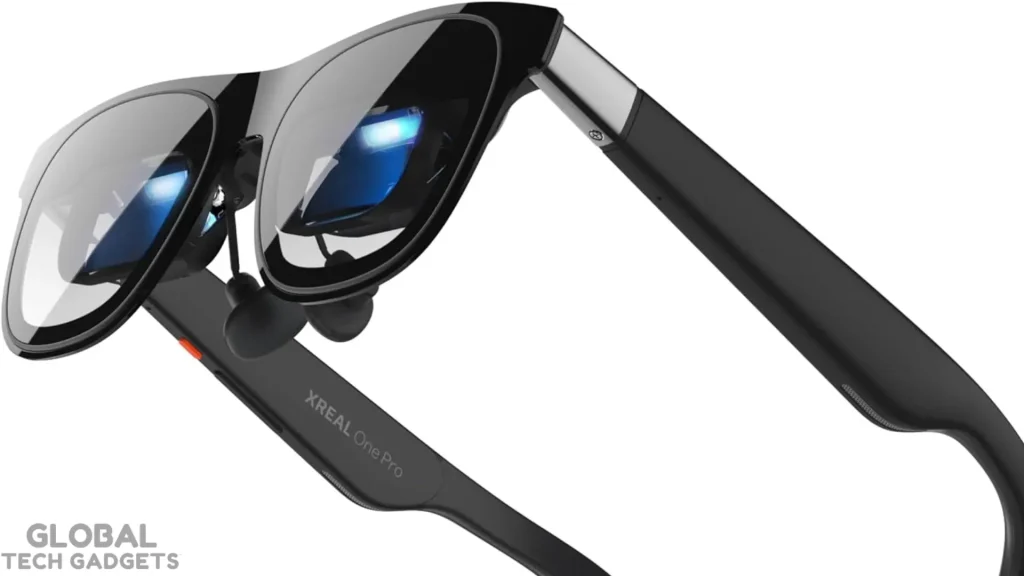
At $599, these glasses connect via USB-C to your phone or laptop, simulating massive screens up to 330 inches. With 1920×1080 resolution and electrochromic dimming, they’re lightweight (75g) and ideal for travel or work.
Pros: Portable, high refresh rate (120Hz).
Cons: Requires a host device.
Best for: Productivity on the go.
2. RayNeo Air 3s Pro: Affordable Entry
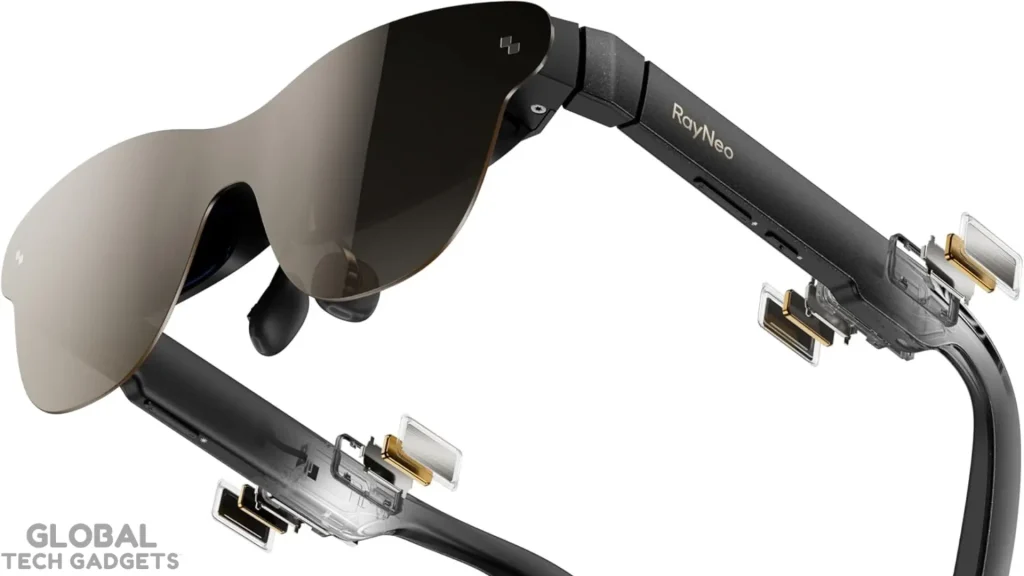
Priced at $299, this pair offers vibrant AR overlays with AI integration, making it great for navigation or entertainment. It’s comfortable for all-day wear and supports Gemini AI for smart features.
Pros: Budget price, wide field of view.
Cons: Limited standalone capabilities.
Best for: Casual AR explorers.
3. Viture Luma Pro: High-Quality Visuals
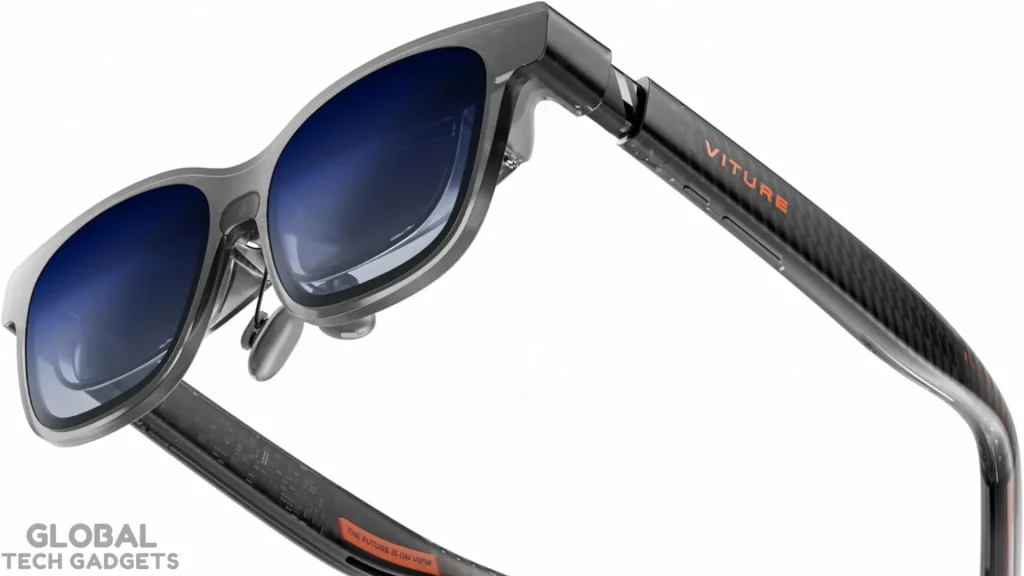
For $499, these deliver stunning picture quality with a broader field of view, perfect for movies or augmented workspaces. They’re lightweight and compatible with multiple devices.
Pros: Excellent color accuracy, comfortable.
Cons: Higher price for AR glasses.
Best for: Media consumption.
Apple Vision Pro Alternatives: High-End Without the High Price
The Apple Vision Pro sets a premium bar at $3,499, but 2026 brings solid rivals for mixed reality.
1. Samsung Galaxy XR: Android Powerhouse
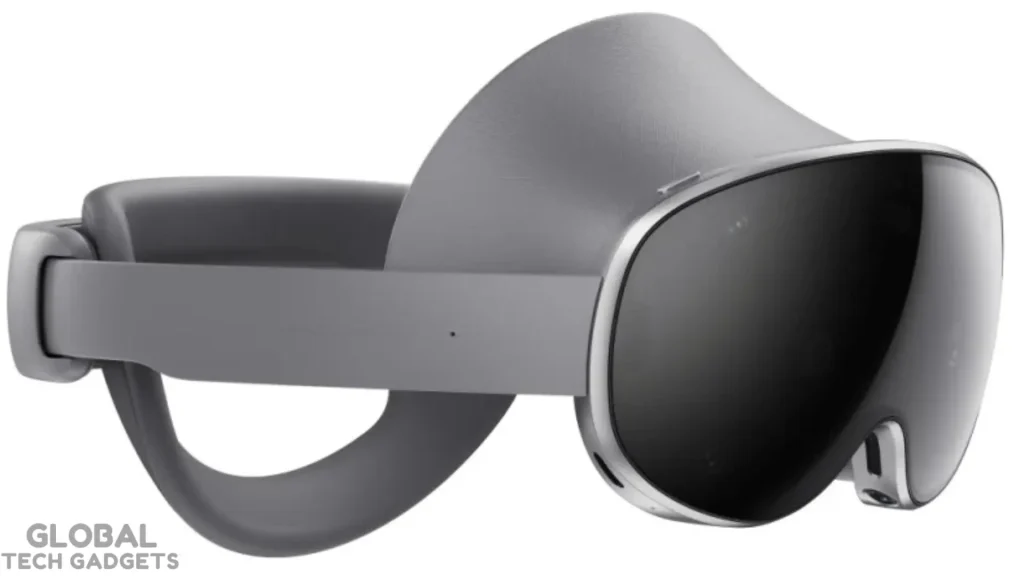
Launching around $1,999, this headset challenges Vision Pro with micro-OLED displays, Gemini AI, and the Android XR ecosystem. It’s ergonomic and supports productivity apps seamlessly.
Pros: High-res screens, AI features.
Cons: Still pricey.
Best for: Android users seeking premium MR.
2. Pico Vision Pro Competitor (Upcoming)
Rumored for 2026 at under $2,000, Pico’s self-developed chip promises eye-tracking and high-res VR/AR blending, making it a direct alternative.
Pros: Custom tech, potential affordability.
Cons: Details pending.
Best for: Value-driven high-end users.
Price and Specs Comparison
| Headset | Price (Starting) | Resolution (Per Eye) | Weight | Battery Life | Standalone? |
| Meta Quest 3S | $249 | 1832 x 1920 | 514g | 2-3 hours | Yes |
| Meta Quest 3 | $500 | 2064 x 2208 | 515g | 2-3 hours | Yes |
| Meta Quest 4 (Rumored) | $600+ | 4K+ | <400g | 2+ hours | Yes |
| Pico 5 | $400 | 2160 x 2160 | ~500g | 2.5 hours | Yes |
| XReal One Pro | $599 | 1920 x 1080 | 75g | Device-dependent | No |
| RayNeo Air 3s Pro | $299 | High-res OLED | Light | Device-dependent | No |
| Samsung Galaxy XR | $1,999 | Micro-OLED | Ergonomic | 2+ hours | Yes |
This table highlights how beginners can find options from $249 to premium tiers, with standalone VR leading for simplicity.
Setup Tips for Beginners
Getting started is straightforward—here’s a step-by-step guide:
- Unbox and Charge: Most headsets come with a charger; give it a full cycle before use.
- Download the App: For Meta or Pico, install the companion app on your phone to create an account and pair via Bluetooth.
- Guardian Setup: Draw a safe play area using the headset’s cameras to avoid bumping into furniture.
- Adjust Fit: Tighten straps for a secure but comfortable seal—aim for no light leaks.
- Start Simple: Begin with free demos or apps like virtual home tours to build comfort and avoid motion sickness.
- Troubleshoot: If nausea hits, take breaks, use teleport locomotion in games, and ensure good ventilation.
Pro tip: Update firmware immediately for the latest features and bug fixes.
Do I need a powerful PC to use a VR headset?
No, modern standalone headsets like the Meta Quest series or Pico 4 function as all-in-one consoles with their own built-in processors and batteries. However, if you want to play graphic-intensive titles, you can still connect these headsets to a gaming PC via a cable or Wi-Fi.
What is the difference between AR, VR, and Mixed Reality?
VR (Virtual Reality) fully blocks out the real world to immerse you in a digital one, while AR (Augmented Reality) overlays digital images onto your real surroundings. Mixed Reality (MR) headsets blend both, allowing you to interact with virtual objects that appear to sit on your real-world furniture.
How much should I spend on my first VR headset?
For a quality beginner experience, expect to budget between $300 and $500; going lower often means buying outdated technology with poor resolution. This price range secures a modern standalone headset with good tracking, mixed reality features, and long-term software support.
Will I get motion sickness from using VR?
Motion sickness can occur, but modern headsets have significantly reduced this issue with higher refresh rates and better tracking latency. Beginners should start with “comfortable” rated games that involve less artificial movement and take frequent breaks to build up their “VR legs.”
Can I wear glasses while using a VR headset?
Yes, most modern headsets are designed to accommodate glasses, often including a “glasses spacer” in the box to create distance between the lenses. For maximum comfort, however, many users opt to purchase magnetic prescription lens inserts that snap directly onto the headset’s lenses.


