

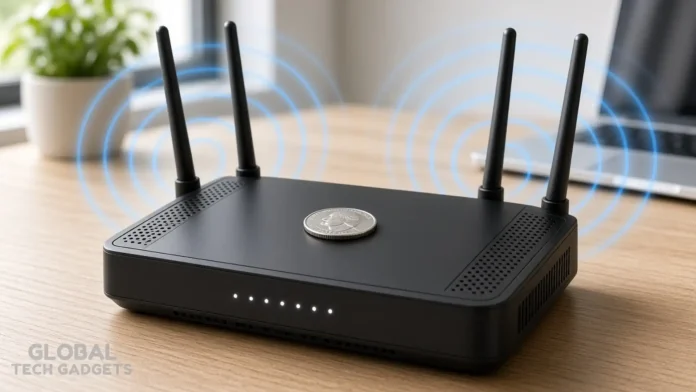
You’ve probably seen the short videos: someone drops a quarter or a peso on top of their router and claims the internet suddenly feels faster or more stable. The tip keeps resurfacing across social feeds and tech forums. The idea is simple—metal supposedly helps the signal—and the cost is zero.
But does it work? Network specialists, telecommunications engineers, and published technical guidance all give the same answer: no measurable improvement in speed or coverage. In some cases, the coin can make performance worse.
Why the Coin-on-Router Trick Spread So Fast
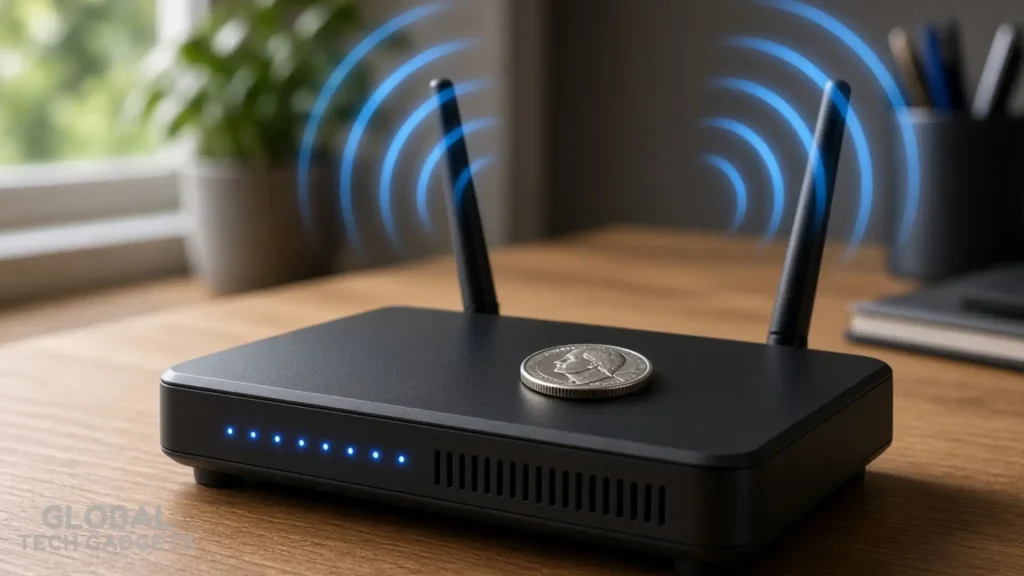
Two explanations usually travel with the videos.
First, the metal is said to act as a makeshift antenna or passive reflector that redirects radio waves toward weak spots in the house. Second, the coin supposedly draws heat away from the router’s internals, keeping the hardware cooler and more stable under load.
A third, quieter claim is more practical: a lightweight plastic router can slide when Ethernet or power cables tug on it. A coin adds a bit of weight and keeps the unit in place. That last point is the only one with any real-world truth. Everything else collapses under basic radio-frequency physics.
What Science and Network Experts Actually Say
Home routers transmit on the 2.4 GHz and 5 GHz bands (some newer models also use 6 GHz). At 2.4 GHz the wavelength is roughly 12.5 cm; at 5 GHz it shrinks to about 6 cm. Antennas inside the router are carefully sized and tuned to those wavelengths, matched for impedance, polarization, and radiation pattern.
A standard coin measures only 2–2.5 cm across. It sits on the plastic housing, completely isolated from the internal circuitry. It has no electrical connection to the antennas, so it cannot become part of the radiating system. Its size is simply too small to shape the radiation pattern in any useful way.
Metal near a transmitter can reflect, scatter, or absorb radio energy. In uncontrolled positions it more often creates small nulls or multipath interference than a helpful boost. Manufacturers and network installers therefore advise keeping metal objects away from the router and its antennas.
Any perceived speed increase after placing the coin almost always traces back to normal network behavior—channel reselection, temporary reduction in household traffic, or the simple act of moving the router while you set the coin down. Controlled observations and technical reviews find no consistent, measurable gain attributable to the coin itself.
The Real Risks of Leaving Metal on Your Router
Most consumer routers rely on passive cooling. Vents on the top or sides let heat escape from the processor, radio amplifiers, and power circuitry. A coin (or stack of coins) sitting on those vents restricts airflow.
When internal temperature rises past design limits, the router protects itself by throttling transmission power, slowing the processor, or briefly shutting down the radios. The result is exactly what users hoped to avoid: intermittent drops, lower speeds, and shorter hardware life.
Multiple metal objects stacked near the antennas can also create unpredictable reflections that deepen existing dead zones rather than fill them. The risk is modest with a single coin, but the practice still runs counter to every manufacturer’s placement guidelines.
Proven Ways to Strengthen Your Home Wi-Fi Instead

Skip the spare change and focus on the factors that actually move the needle:
- Place the router high and central. Elevate it on a shelf or desk, keep it away from floors and corners, and give it clear line-of-sight to the rooms you use most.
- Clear the immediate surroundings. Thick walls, large metal objects (refrigerators, filing cabinets, mirrors with metallic backing), and appliances that emit radio noise (microwaves, cordless phones) all weaken the signal. Keep at least a couple of feet of open space.
- Choose the right band. Use 5 GHz or 6 GHz for nearby high-speed devices; reserve 2.4 GHz for farther rooms or smart-home gadgets that need better wall penetration.
- Update firmware and channels. Log into the router’s admin page, install the latest firmware, and let the unit auto-select the least congested channel—or manually pick a clean one with a free Wi-Fi analyzer app.
- Add coverage where needed. A mesh system or a properly placed access point solves multi-floor or large-home dead zones far more reliably than any household object.
- Check cables and power. Make sure the router is not overheating from poor ventilation even without a coin, and that Ethernet backhaul (if used) is solid.
These steps address the actual physics of radio propagation and the thermal limits of the hardware. They require a few minutes of attention rather than a coin, and the results hold up under repeated testing.
Quick Checklist: Fix Weak Signal Without Spare Change

- Move the router to a central, elevated, open location.
- Keep metal, thick walls, and interfering appliances out of the signal path.
- Update firmware and confirm the least crowded channel.
- Separate 2.4 GHz and 5 GHz SSIDs if your router allows it, then connect devices to the better band.
- Consider a mesh node or additional access point for distant rooms.
- Test speeds before and after each change so you know what actually helped.
The coin-on-router tip is a classic example of a simple story that travels farther than the underlying physics. Metal can interact with radio waves, but only when it is the right size, shape, and position—and even then the effect is carefully engineered, not accidental. A random coin on plastic does none of that work.
Leave the change in your pocket, give the router room to breathe, and put it where the signal actually needs to go. Your connection—and the lifespan of the hardware—will be better for it.
Does placing a coin on a Wi-Fi router improve internet speed?
No, there is no scientific evidence that placing a coin on a Wi-Fi router boosts internet speed or signal strength. Wi-Fi routers rely on precisely tuned internal antennas, and a loose piece of metal cannot organically enhance their output. Instead of improving your connectivity, the coin might actually interfere with your Wi-Fi signals and degrade performance.
Why is the coin on the Wi-Fi router trick popular?
This trick gained widespread popularity online as a seemingly simple, zero-cost hack for fixing unstable internet connections. The myth falsely claims that a metal coin can act as an improvised antenna or a heat sink to minimize signal fluctuations. In reality, the only practical benefit of the coin is adding extra weight to keep lightweight routers steady from cable tension.
Can a metal coin cause damage to my Wi-Fi router?
Yes, placing a coin on top of your router can potentially cause permanent hardware damage by blocking its ventilation vents. Routers are designed to allow natural airflow, and a coin can trap heat inside the casing, leading to severe overheating. Additionally, the metal can negatively interact with the router’s radio waves, forcing the device to overwork and underperform.
Does a coin act as a heat sink for the router?
No, a standard loose coin cannot effectively function as a heat sink when placed on a plastic Wi-Fi router casing. For a heat sink to work efficiently, it must possess the correct geometries and be directly integrated into the device’s electrical architecture. Instead of dissipating heat, a coin is much more likely to block the cooling vents and cause the router to dangerously overheat.
How can I genuinely improve my Wi-Fi router’s signal?
To achieve optimal Wi-Fi coverage, place your router in a relatively open, central location within your home. Avoid hiding the device inside cabinets, behind large furniture, or placing it in corners where physical obstacles can weaken the waves. Upgrading your placement and removing obstructions is the only scientifically proven way to boost your internet connectivity.
What objects should you keep away from a Wi-Fi router?
You should avoid keeping large metal objects close to your router, as metal can obstruct and weaken Wi-Fi radio signals significantly. Electronic appliances, particularly in kitchens, should be avoided because they can cause severe frequency interference. Additionally, keep your router away from windows where signals from external public networks can interfere with your home connection.


